Skip to content
Search
Launch App
☰
✕
Welcome to Dharitri
Product Overview
Roadmap
How-to Guides
Create/Secure Wallet (BSC)
Buy/Swap pREWA
Add/Remove Liquidity
Stake pREWA & Earn APR
Donate pREWA (on-chain giving)
Troubleshooting
View receipts on BscScan
Wallet & Network Setup
Install & Secure MetaMask
Add BSC to MetaMask
Connect Wallet
Troubleshoot Wallet
Protocol
Tokenomics
Governance
Audits & Security
Developers
Contracts & Addresses
Contribution Guide
Community
Brand & Logos
Socials, Ambassadors
Search
Launch App
☰ Menu
✕
Welcome to Dharitri
Product Overview
Roadmap
How-to Guides
Create/Secure Wallet (BSC)
Buy/Swap pREWA
Add/Remove Liquidity
Stake pREWA & Earn APR
Donate pREWA (on-chain giving)
Troubleshooting
View receipts on BscScan
Wallet & Network Setup
Install & Secure MetaMask
Add BSC to MetaMask
Connect Wallet
Troubleshoot Wallet
Protocol
Tokenomics
Governance
Audits & Security
Developers
Contracts & Addresses
Contribution Guide
Community
Brand & Logos
Socials, Ambassadors
Powered by Dharitri
Welcome to Dharitri
💳 Buy/Swap pREWA
How to Buy pREWA?
Purpose: Guide users to buy pREWA via
prewa.dharitri.org
Prerequisites
Wallet installed (MetaMask /Binance/ Coinbase/etc.)
USDT for purchase pREWA (
How to get USDT?
)
At least $2 worth BNB for gas fees (
How to get BNB?
)
Access to prewa.dharitri.org
Step-by-Step Instructions (Desktop)
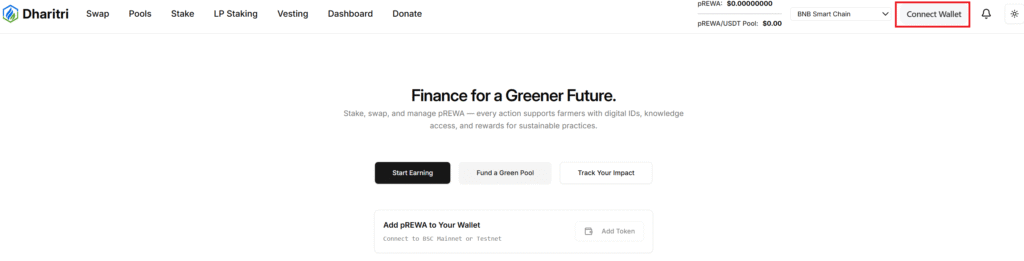
Open prewa.dharitri.org in your browser and Click “Connect Wallet”
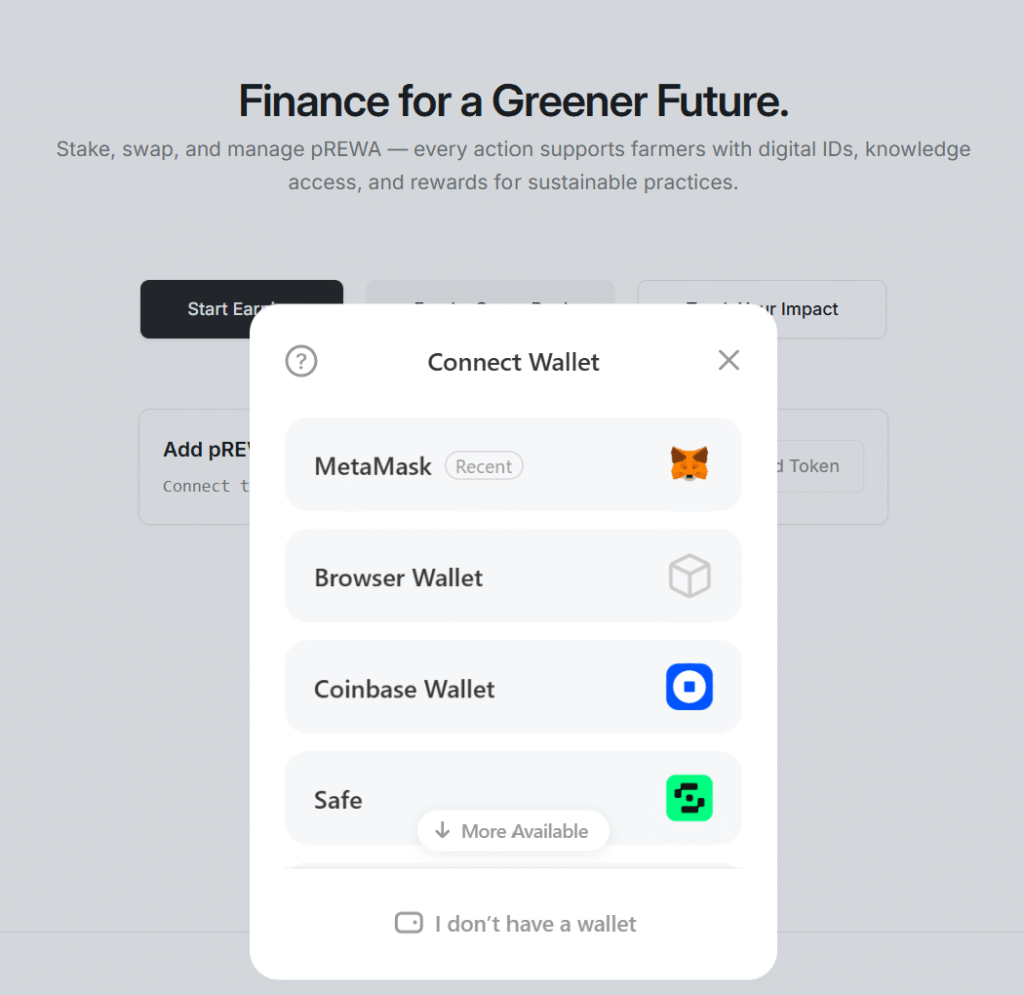
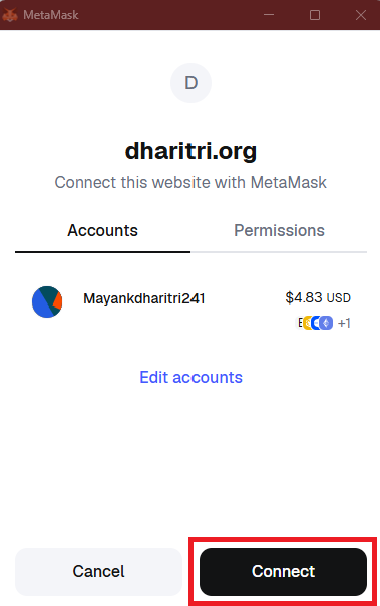
Select the wallet and approve connection from wallet by clicking “Connect”
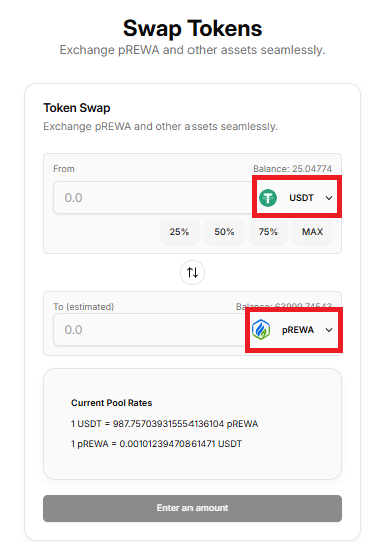
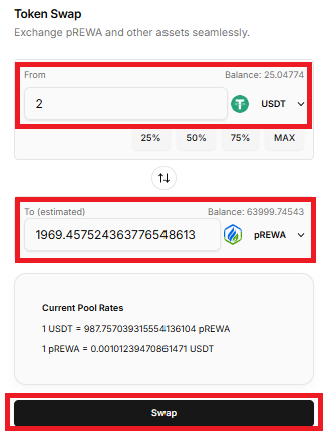
Navigate “Swap” to Buy pREWA.
Choose Token:
In the From field, select USDT.
In the To field, select pREWA.
Enter amount:
Enter the amount of USDT you want to swap.
The equivalent pREWA amount will be calculated automatically.
Click on “Swap”
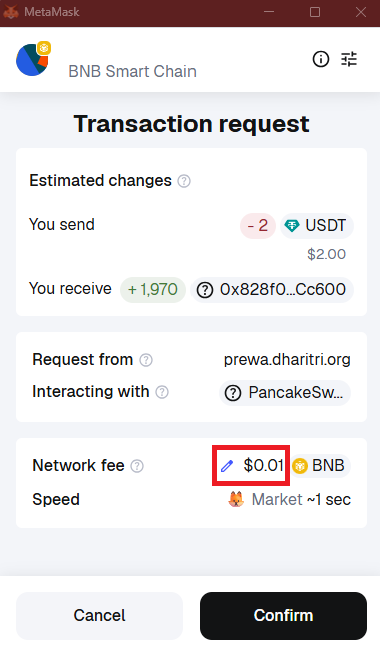
Confirm Swap:
Your wallet will show a transaction request.
If needed, adjust slippage tolerance (click the pencil icon).
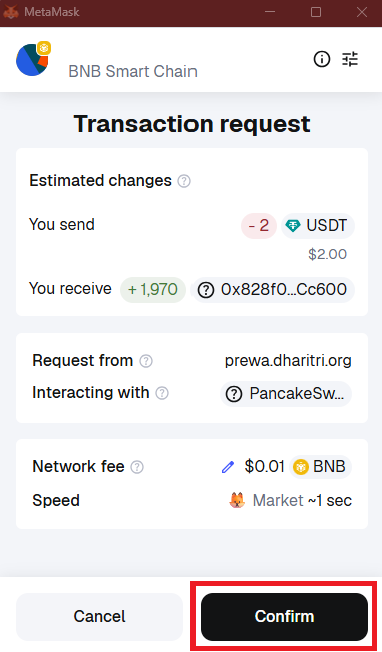
Approve Transaction:
Verify transaction details
Click on “confirm” in wallet.
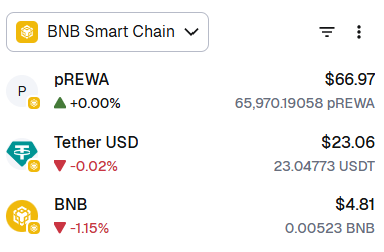
Verify balance in wallet after confirmation
or Click on Dashboard in website and Check balance.
Troubleshooting
Token not visible In Wallet?
→ Add token manually (go to
prewa.dharitri.org
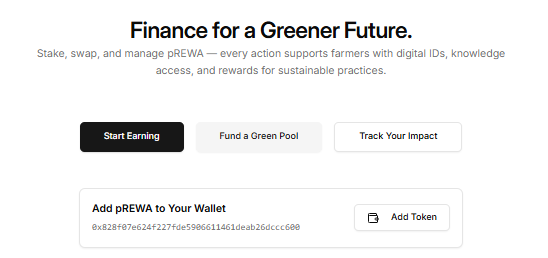
, Click on “Add token”, ensure your wallet is connected)
Transaction failing?
– Increase slippage tolerance.
– Confirm you have enough BNB for gas fees.
Tip for New Users:
Always double-check token addresses to avoid scams. Only use official links provided by Dharitri.
Previous Page
Next Page